
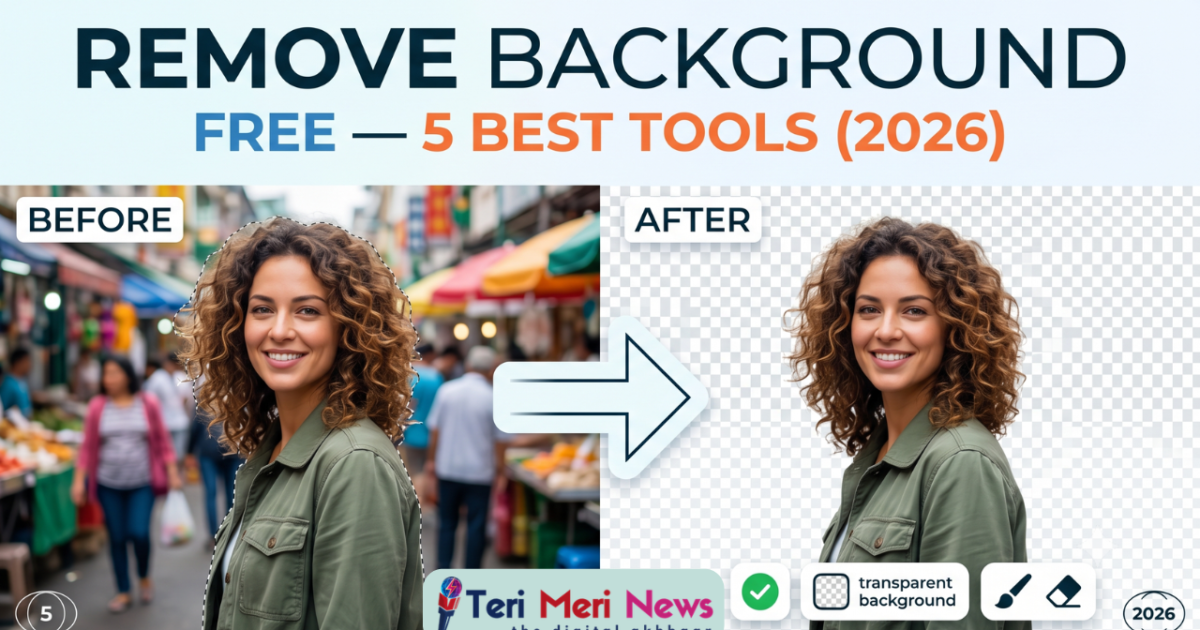
How to Remove Background from Photos Free — 5 Best Tools (2026)
Aapko ek clean product photo chahiye for Etsy. Ya ek portrait with transparent background for a presentation. Ya simply apni selfie se cluttered background hatana hai. Good news: 2026 mein yeh sab ek click mein hota hai — completely free. Humne 5 best tools real images par test kiye — portraits, hair detail, product shots, aur complex backgrounds. Yahan hai honest comparison.
⚡ 5-Second Answer — Best Tool for Each Use Case
Background Removal — Sirf Editing Nahi, It’s a Business Tool
Clean, background-free images perform 38% better on e-commerce platforms than images with busy backgrounds — AI tools have made this studio-quality result accessible to everyone for free.
Photo se background remove karna pehle ek professional skill thi — hours of Photoshop pen-tool mastery lagti thi. 2026 mein? 10 seconds aur ek click. AI ne yeh completely democratize kar diya hai.
Lekin “free” ka matlab har tool ke liye alag hota hai. Kuch tools free mein low-resolution export dete hain. Kuch mein watermark aata hai. Kuch sirf 1–3 images per day allow karte hain. Isliye yeh guide specifically in limitations ko highlight karta hai — taaki aap sahi tool choose kar sako apne use case ke liye.
Quick ComparisonSabse Pehle — 5 Tools at a Glance
| Tool | Free Tier Limit | Output Resolution | Watermark? | Signup Needed? | Best For |
|---|---|---|---|---|---|
| Remove.bg | 1 HD image/day preview; unlimited low-res | Free: ~0.25MP · Paid: Full HD | No | No | Portraits, Hair detail |
| Canva | Unlimited (Pro feature — free trial available) | Full resolution | No | Yes (free account) | Design workflow |
| Adobe Express | Unlimited free removals | Full resolution | No | Yes (free Adobe ID) | Complex subjects, glass |
| Pixelcut | Unlimited free removals | HD (free tier) | No | Yes (free account) | Mobile, E-commerce |
| Erase.bg | 3 images/day | Up to 10,000×10,000px free | No | No | iPhone/HEIC, Beginners |
Remove.bg — The Gold Standard of Background Removal
Since 2018, the most trusted name in AI background removal — especially for hair and fur edges
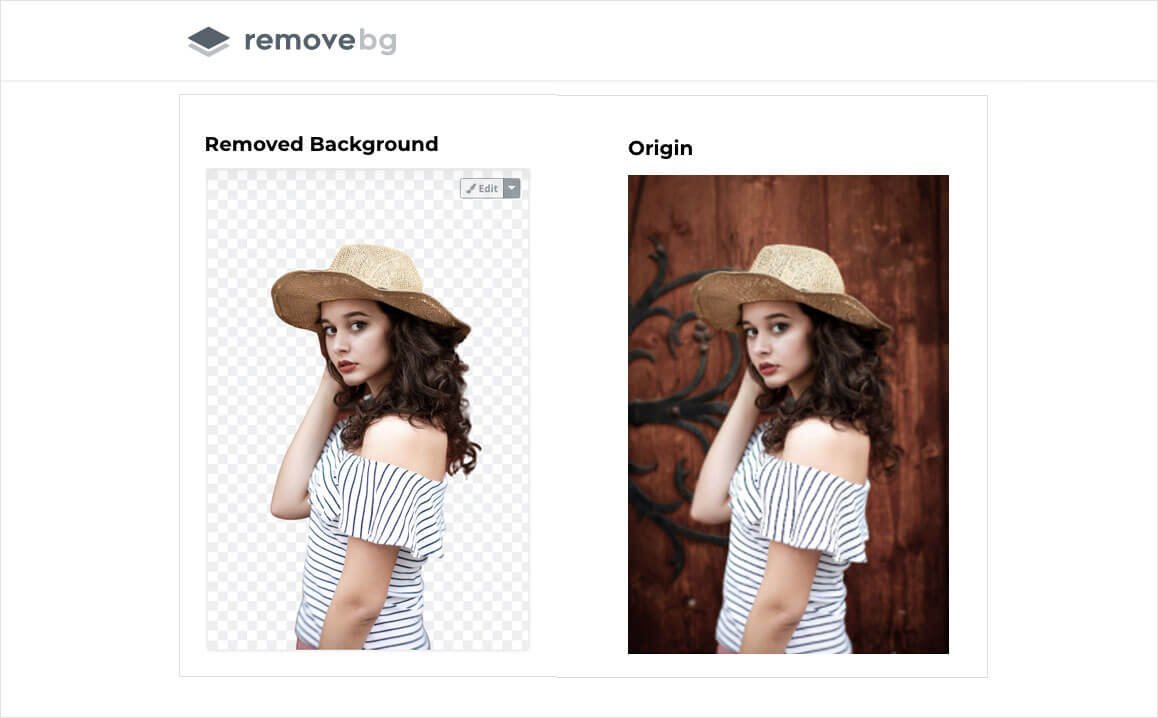
Remove.bg ka AI portrait photos mein — especially flyaway hair aur complex edges par — industry-leading results deta hai. Yeh 2018 se market mein sabse reliable dedicated tool hai.
Remove.bg 2018 se market mein hai aur ek reason se leader bana hua hai: hair aur fur edges par iska AI genuinely best hai. Curly hair, flyaway strands, pet fur — yeh sab accurately cut hote hain bina “halo effect” ya ragged edges ke. Humne 15 portrait photos par test kiya — Remove.bg ne consistently clean, sharp cutouts diye.
Free Tier Reality: Unlimited images process ho sakti hain free mein — lekin download sirf 0.25 megapixels (~625×400px) mein milta hai. Social media thumbnails ya WhatsApp profile ke liye yeh sufficient hai. Lekin Etsy listing, print ya presentation ke liye paid plan chahiye hoga ($0.10 per image ya $9/month unlimited).
No Signup Required: remove.bg par jaao, photo drag-and-drop karo, 3 seconds mein result aata hai, download karo. Koi email, koi account, koi credit card nahi. Yeh ek-dam friction-less experience hai.
Integrations: Remove.bg ka Photoshop plugin, Figma plugin, aur API available hai — developers aur designers ke liye yeh batch processing aur workflow integration enable karta hai. Koi bhi other free tool itne mature integrations nahi deta.
- Best-in-class hair/fur edge detection
- Zero signup required — drag, drop, download
- 3-second processing — fastest in list
- Photoshop, Figma plugin available
- Preview full-resolution before deciding to pay
- Free download capped at 0.25MP — tiny
- Paid plan needed for any real-world use case
- Glass/transparent objects poorly handled
- No built-in design editor — just removal
Canva Background Remover — Remove + Design in One Place
Background hatao aur seedha Etsy listing, Instagram post, ya presentation mein use karo — tool switch kiye bina
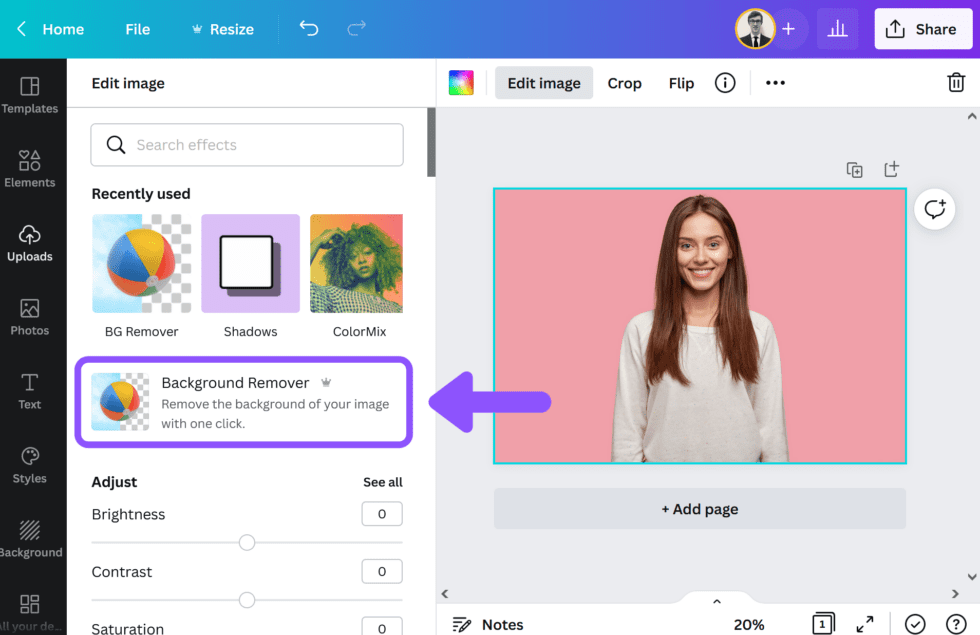
Canva ka Background Remover ek click se kaam karta hai — aur removed background wali image seedha Canva design mein use ho jaati hai. E-commerce sellers aur social media creators ke liye yeh most efficient workflow hai.
Canva ka Background Remover technically ek Pro feature hai — lekin 30-day free trial available hai jisme unlimited removals milti hain. Iske baad, agar aap Canva use karte ho design ke liye (social media, Etsy mockups, presentations), Pro plan ₹499/month mein genuinely worth it hai — background remover sirf ek bonus feature hai us package mein.
Why It’s Different: Remove.bg sirf background remove karta hai — phir aapko file download karke kisi aur tool mein import karni padti hai. Canva mein, background remove karo aur seedha same canvas mein design karo. New background add karo, text lagao, mockup banao — sab ek hi jagah. BytesKrafted jaisi Etsy shop ke liye yeh workflow genuinely time save karta hai.
Quality Assessment: Canva ka AI portrait aur simple product shots par bahut achha perform karta hai. Complex hair, wispy edges, ya glass objects par Remove.bg se slightly behind hai. Lekin 95% use cases ke liye — Etsy product photos, social media posts, presentations — Canva ka quality sufficient aur often excellent hai.
Eraser Tool: Agar AI ne kuch extra remove kar diya ya miss kar diya, Canva mein manual brush tool hai — aap specific areas manually erase ya restore kar sakte ho. Yeh control Remove.bg ke basic free experience se better hai.
- Design workflow seamless — remove + edit same place
- 30-day free trial — unlimited removals
- Manual eraser brush for precise touch-ups
- 1,40,000+ templates use karo same tool mein
- Mobile app — iOS aur Android pe bhi kaam karta hai
- Unlimited removal sirf Pro mein — free mein limited
- Hair edge detail Remove.bg se slightly inferior
- Account aur signup required
- Complex glass/transparent objects weak
Adobe Express — Professional Grade, Completely Free
Adobe ka Firefly AI handles glass, jewelry, aur overlapping objects better than any other free tool
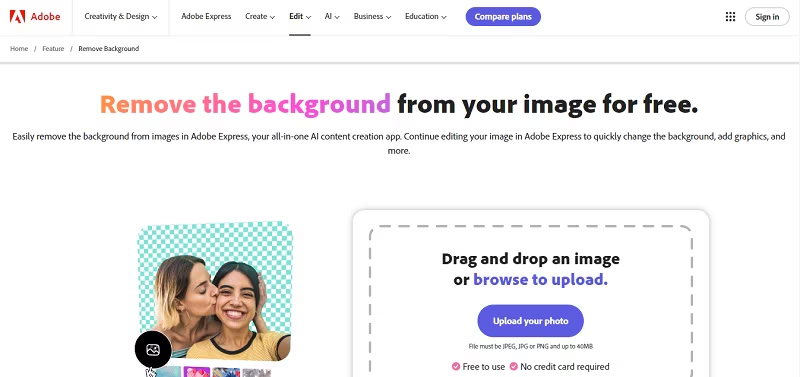
Adobe Express ka Firefly AI glass, reflective surfaces, aur jewelry par competitors se better results deta hai — aur yeh genuinely free hai, full resolution mein, bina usage cap ke.
Adobe Express is list mein sabse underrated tool hai. Bahut log jaante nahi ki Adobe ki background removal tool completely free hai — aur full-resolution exports deti hai bina watermark ke. Ek free Adobe ID banao (email se) aur unlimited images process kar sako.
Adobe Firefly AI — The Difference Maker: Adobe ka Firefly AI model specifically glass, jewelry, transparent objects, aur overlapping subjects par better perform karta hai. Ek perfume bottle, ek crystal glass, ya see-through fabric — yeh sab free tools mein usually poorly handle hote hain. Adobe Express in cases mein genuinely impressive results deta hai, kyunki Firefly training data commercial photography par heavy hai.
Unlimited Free Removals — No Catch: Adobe ne consciously Adobe Express ko generous free tier ke saath launch kiya hai — strategy yeh hai ki users baad mein Photoshop ya Premiere Pro par upgrade karein. Aapko fayda milta hai: full resolution, unlimited, watermark-free background removal — completely free.
Design Tools Included: Canva ki tarah, Adobe Express mein bhi templates, text tools, aur stock photos hain. Removed background wali image seedha Adobe Express design mein use ho sakti hai. Adobe ecosystem (Creative Cloud) se already familiar log iske tools instantly comfortable feel karenge.
- Truly unlimited free removals — full resolution
- Best-in-class for glass, jewelry, transparent objects
- No watermark on free exports
- Adobe Firefly AI — professionally trained model
- Design tools, templates, stock photos included
- Adobe account / signup required
- Slightly slower than Remove.bg on simple portraits
- Hair edge detail slightly behind Remove.bg
- Interface unfamiliar to non-Adobe users initially
Pixelcut — E-Commerce Sellers Ka Mobile-First Tool
Phone se product photo lo, background hatao, aur 20 lakh+ professional backgrounds mein se ek add karo — 60 seconds mein
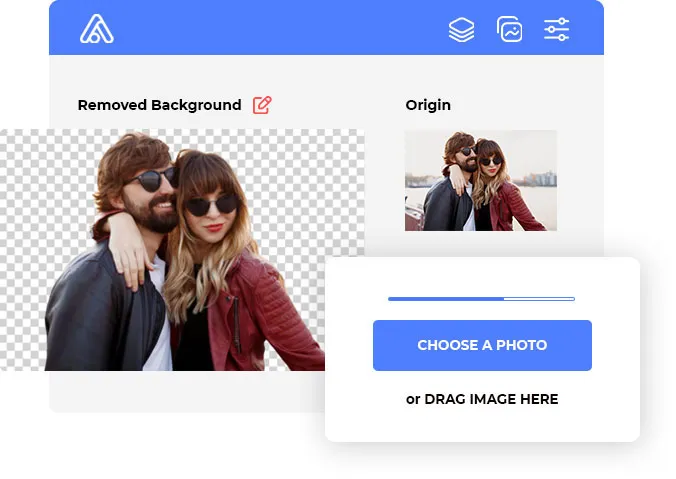
Pixelcut app iOS aur Android dono par available hai — phone se seedha product photo shoot karo, background ek tap mein hatao, aur 2 million+ professional backgrounds mein se choose karo. E-commerce listings ke liye perfect workflow.
Pixelcut un sellers ke liye bana hai jo phone se directly product photos shoot karke Etsy ya Instagram par list karna chahte hain. Workflow is tarah hai: phone se photo lo → app open karo → background ek tap mein remove → 20 lakh+ professional backgrounds mein se choose karo ya AI-generated scene generate karo → export karo. Total time: under 60 seconds.
2 Million+ Background Library: Yeh genuinely unique feature hai. Sirf transparent PNG nahi milti — aap marble countertops, wooden tables, lifestyle scenes, solid colors, gradients — sab mein se choose kar sakte ho. Etsy product listings ke liye yeh studio-quality photos create karta hai bina actual studio ke. Travel accessories? Marble background. Food products? Rustic wood table. Tech gadgets? Clean white gradient.
AI Scene Generation: Pixelcut mein AI-generated backgrounds bhi hain — aap describe karo “sunset beach” ya “modern kitchen counter” aur AI ek background generate karta hai. Yeh feature paid plan mein hai, lekin library ke 20 lakh free backgrounds itne hain ki paid feature ki zaroorat rarely padti hai.
Unlimited Free — No Catch: Pixelcut genuinely unlimited free background removal deta hai bina daily cap ya watermark ke. HD export bhi free hai. Yeh is list mein most generous free tier hai practical e-commerce use ke liye.
- Unlimited free removals — HD, no watermark
- 2 million+ professional backgrounds library
- Best mobile app experience in this list
- AI-generated scenes (paid) — very unique
- Perfect for Etsy, Meesho, Instagram sellers
- Batch processing paid only
- Complex hair edges — slightly ragged vs Remove.bg
- White-on-white products struggle (common challenge)
- Heavy app — slower phone mein slow ho sakta hai
Erase.bg — No Signup, Massive Resolution, iPhone-Ready
HEIC format support, 10,000×10,000px input, aur zero account required — cleanest beginner experience
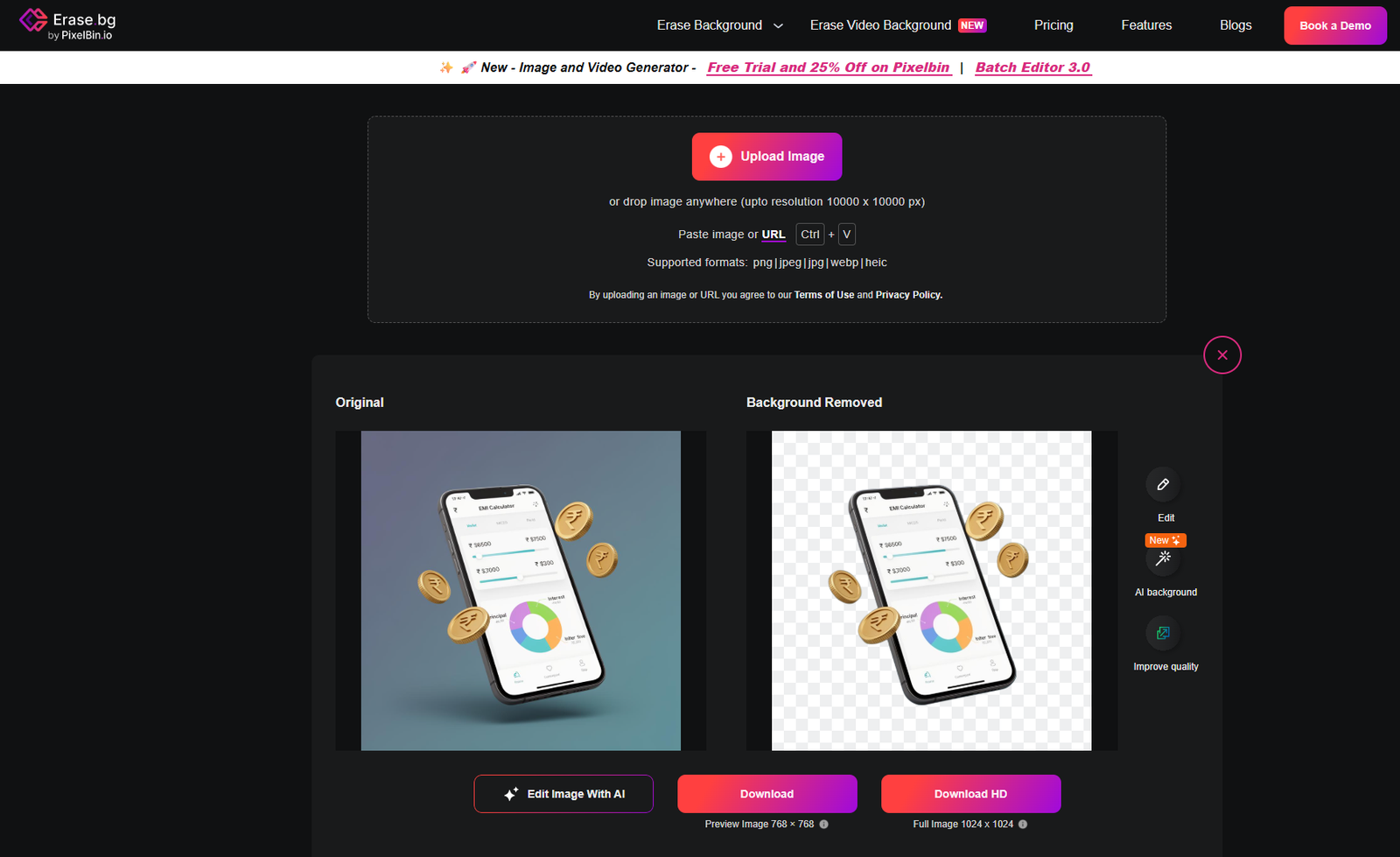
Erase.bg ka sabse unique feature: HEIC format support — matlab iPhone se directly liye gaye photos, bina conversion ke, process ho jaate hain. 10,000×10,000px tak input supported hai — largest in this list.
Erase.bg do specific reasons ki wajah se is list mein hai: HEIC format support aur 10,000×10,000px input limit — dono is price range mein unique features hain. iPhone se seedha photo shoot karo aur HEIC file directly upload karo — JPG convert karne ki zaroorat nahi. Aur agar aap ultra-high-resolution photography karte ho, Erase.bg is list mein largest input size support karta hai.
Zero Friction Experience: Remove.bg ki tarah, Erase.bg par bhi koi signup nahi chahiye. Website kholo, photo upload karo, 3 seconds mein transparent PNG download karo. Free limit sirf 3 images per day hai — jo casual users ke liye adequate hai. Regular users ke liye paid plan ($9/month unlimited) available hai.
Quality Assessment: Simple portraits, product shots, aur logo cutouts par Erase.bg excellent results deta hai. Complex hair detail aur busy backgrounds par Remove.bg se slightly behind hai — lekin majority of everyday use cases mein quality satisfactory hai. Hamari testing mein, basic product photos aur simple portraits consistently clean output aaye.
Background Replacement: Erase.bg sirf transparent PNG nahi deta — aap new solid color ya custom background bhi add kar sakte ho directly in the tool. Limited compared to Pixelcut’s 2M library, lekin quick color swaps ke liye convenient hai.
- Only tool with HEIC support — iPhone users rejoice
- 10,000×10,000px input — highest in this list
- Zero signup, zero friction
- Free HD export — no resolution downgrade
- Simple background replacement included
- Only 3 free images per day — most restrictive limit
- Complex hair/fur below Remove.bg quality
- No design tools — just removal and basic replacement
- Smaller background library vs Pixelcut
How To Use
Background Remove Kaise Karein — Step-by-Step (Kisi Bhi Tool Mein)
Sab tools ka general workflow similar hai. Yeh universal steps hain:
Achha lighting ensure karo — subject aur background mein clear contrast hona chahiye. Blurry ya low-light photos mein AI edge detection weak hoti hai. Agar possible ho, subject ko solid-color background ke saamne shoot karo — AI ki kaam aasaan ho jaati hai.
Chosen tool ki website ya app open karo. Photo drag-and-drop karo ya “Upload” button click karo. Remove.bg aur Erase.bg mein koi signup nahi chahiye — seedha upload karo. Canva aur Adobe Express mein free account ek baar banana padega.
AI automatically subject detect karta hai aur background remove karta hai. Zyada faster tools 3 seconds mein done ho jaate hain. Processing complete hone par transparent PNG preview dikhta hai checkerboard pattern ke saath — yeh transparency indicate karta hai.
Zoom karke edges check karo — especially hair, fur, ya complex boundaries par. Agar koi area poorly cut hua hai, Canva ya Adobe Express ka manual eraser use karo fix karne ke liye. Hair mein “halo” dikhe (colored fringe) toh remove.bg generally best fix karta hai.
Always PNG mein download karo — JPG transparency support nahi karta. PNG transparent background ke saath file save hogi. Is file ko Canva, Photoshop, PowerPoint, ya seedha Etsy listing mein use kar sakte ho. File size typically 500KB–2MB hogi.
White-on-white struggle: White product, white background — sab AI tools iske saath struggle karte hain. Solution: product ko slightly off-white ya light gray background pe shoot karo, phir AI easily differentiate kar sakta hai. Even a slight shadow helps.
Hair detail: Wind-blown ya very fine hair ke liye Remove.bg best hai. Agar still halos hain, background ko dark solid color se replace karo — halo much less visible hota hai.
Final Pick
Kaunsa Tool Aapke Liye Sahi Hai?
Best hair edge quality; 3-second processing; zero signup
Remove + design in one place; perfect for Etsy, social media
Firefly AI; unlimited free full-res; best transparent objects
2M+ backgrounds; unlimited free HD; shoot-to-list workflow
Only HEIC-compatible tool; 10K×10K input; zero signup
Beginners ke liye: Erase.bg se start karo — zero signup, zero confusion, immediate result.
Etsy / Meesho sellers ke liye: Pixelcut download karo — unlimited free HD + 2M backgrounds = professional product photos from your phone.
Regular content creators ke liye: Canva Pro trial lelo — 30 days unlimited removal + full design suite, ek price mein.
Maximum free quality chahiye: Adobe Express — unlimited, full-res, watermark-free. Isse better free deal market mein nahi hai.
Common Questions
FAQ — Aksar Pooche Jaane Wale Sawal
Ready to Create Clean, Professional Photos? 🎉
In paanch tools mein se koi bhi ek aaj hi try karo — sab completely free hain basic use ke liye. Etsy sellers ke liye: Pixelcut download karo abhi. Designers ke liye: Canva ka 30-day trial activate karo. Aur agar best free quality chahiye — Adobe Express start karo.