
You just found out your bank supports UPI, but you’re standing there with either patchy internet or a basic keypad phone — no smartphone app in sight. Or maybe it’s the opposite problem: you already have a smartphone with a full UPI app installed, and you’re wondering why anyone would bother with a “Lite” version at all. UPI Lite and UPI 123Pay actually solve two different problems, not the same one from two angles, and mixing them up means picking the wrong tool for how you actually pay. Here’s what separates them — the real 2026 limits, the internet requirement each one has or doesn’t have, and which one fits your situation.
Quick Verdict
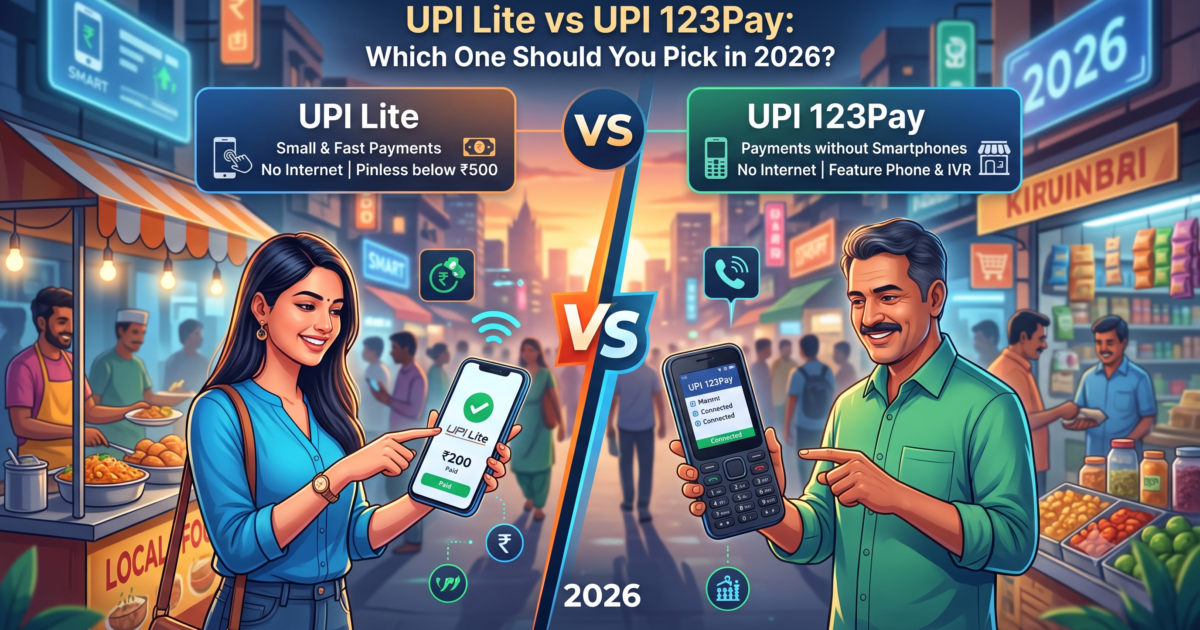
UPI Lite is built for smartphone users who want instant, PIN-free payments under ₹1,000 — the kind you make at a tea stall, an auto-rickshaw, or a local kirana store — without your phone waiting on a live bank server response for every single payment. UPI 123Pay is built for the roughly 400 million Indians who use a feature phone with no UPI app at all; it isn’t really an alternative to UPI Lite, it’s the only way those users can access UPI at all, through IVR calls, missed calls, or an OEM-built app. If you own a smartphone, UPI Lite is the one worth setting up today. If you’re on a basic keypad phone, UPI 123Pay isn’t optional — it’s your only route into UPI.
Who Each One Is Actually Built For
The biggest thing people get wrong about this comparison is treating it like a head-to-head, a Notion-vs-ClickUp situation where both tools do roughly the same job in different ways. UPI Lite assumes you already have a smartphone and a UPI app such as Google Pay, PhonePe, or Paytm installed — it’s a faster lane inside that app for small payments, not a separate product. UPI 123Pay assumes the opposite: no smartphone, no app, and sometimes no mobile data plan at all — just a basic phone that can make calls and send a text. NPCI built it specifically because a large share of India’s phone users were otherwise locked out of UPI entirely, and that gap is the whole reason this second system exists.
Transaction Limits: The Real 2026 Numbers
This is where the two diverge sharply, and it matters for what you can actually use each one for day to day. Under the Reserve Bank of India’s current framework — see our breakdown of the broader UPI New Rules 2026 for the full regulatory picture — UPI Lite caps you at ₹1,000 per transaction, ₹10,000 in total transactions per day, and a maximum wallet balance of ₹5,000 held in the Lite wallet at any given time. UPI 123Pay works on a different scale entirely: up to ₹10,000 per transaction and ₹1,00,000 (one lakh rupees) per day, since it draws directly from your linked bank account rather than a pre-loaded wallet.
| Feature | UPI Lite | UPI 123Pay |
|---|---|---|
| Device required | Smartphone with a UPI app | Feature phone (or smartphone) — no app needed |
| Internet required | Only to load the wallet; spending is designed to be fast without a live round-trip | Not required at any step |
| Per-transaction limit | ₹1,000 | ₹10,000 |
| Daily transaction limit | ₹10,000 | ₹1,00,000 (₹1 lakh) |
| Wallet balance cap | ₹5,000 maximum | No separate wallet — debits the linked bank account directly |
| PIN required | No, for payments under ₹1,000 | Yes, set once via *99# |
| How you pay | Through your existing UPI app (Google Pay, PhonePe, Paytm) | Dial *99#, IVR call, missed call, or OEM app |
| Best for | Fast small-value payments on a smartphone | The only UPI access route for feature-phone users |
Which Banks and Apps Support Each One
UPI Lite is available on all three major UPI apps — Google Pay, PhonePe, and Paytm — and is supported by roughly 28 banks at last count, including SBI, HDFC Bank, ICICI Bank, Axis Bank, Kotak Mahindra Bank, and Federal Bank. UPI 123Pay works across participating banks through NPCI’s shared IVR infrastructure, so you don’t need a specific app — the same *99# code and IVR numbers work regardless of which bank you’re linking, as long as your bank has signed on to support UPI 123Pay in the first place.
Internet and Offline Behaviour
UPI Lite needs internet to load money into the wallet, but debit transactions from that wallet are designed to go through fast without waiting on a live server round-trip for every single payment — genuinely useful in patchy-network spots, though it isn’t a true zero-internet system end to end. NPCI’s newer UPI Lite X pushes this further into real offline territory using device-to-device transfer, but it currently caps out lower, around ₹500 per transaction and ₹2,000 a day, and availability across banks and apps is still expanding. UPI 123Pay, by contrast, needs no internet connection at any point in the flow — it runs entirely over IVR calls, missed-call authentication, or SMS-based confirmation, which is the whole reason it exists for feature-phone users in the first place.
How to Set Each One Up
Setting up UPI Lite takes under a minute if you already use a UPI app: open the app’s settings, find the UPI Lite or “PIN-free payments” option, and load your wallet with up to ₹5,000. No fresh KYC or extra paperwork is needed since it rides on your existing UPI-linked bank account. If you’re setting up UPI itself for the first time rather than just UPI Lite, our beginner’s guide to digital banking covers the account-linking step before you get here. UPI 123Pay setup happens entirely on the feature phone: dial *99#, select your bank from the list that plays, enter the last six digits of your debit card along with its expiry date, and set a four or six-digit UPI PIN. That same PIN then authorizes every IVR call or missed-call payment you make afterward.
Safety and Fees
Neither option charges a merchant discount rate on the transaction itself, so the payment side is free either way you go. UPI 123Pay’s IVR and missed-call routes may incur your telecom operator’s standard call charges, and those vary by carrier. On security, UPI Lite payments under ₹1,000 skip the PIN prompt by design, which is the trade-off for speed — it’s exactly why the wallet balance is capped at ₹5,000, so a lost or unlocked phone can’t be drained beyond that ceiling. UPI 123Pay requires the UPI PIN for every transaction, which is arguably the stronger per-transaction safeguard given there’s no app-level biometric lock backing it up the way a smartphone UPI app has. Either way, it’s worth knowing your recourse if a payment does go wrong — our guide to the Digital Fraud Compensation Rule 2026 covers how claims actually get processed.
Pick UPI Lite If / Pick UPI 123Pay If
Pick UPI Lite if:
- You already use a smartphone with Google Pay, PhonePe, or a similar UPI app
- Most of your daily payments are under ₹1,000 — chai, autos, local shops
- You want to skip entering your PIN for every small purchase
- You’re occasionally in low-network spots and want faster small payments to go through
Pick UPI 123Pay if:
- You use a feature phone with no UPI app available
- You don’t have a reliable mobile data connection
- You need to make a single UPI payment above ₹1,000 (up to ₹10,000)
- You’re helping a family member who isn’t on a smartphone get onto UPI for the first time
Frequently Asked Questions
Can I use UPI Lite and UPI 123Pay on the same bank account?
Yes — they’re independent access methods linked to the same underlying bank account, so there’s no conflict using both. In practice you’d typically only need UPI 123Pay if you don’t have a smartphone to run UPI Lite on in the first place.
Does UPI 123Pay cost anything to use?
The UPI transaction itself carries no merchant discount rate, so it’s free at the payment-processing level. Calls made through the IVR or missed-call routes may be charged at your telecom operator’s standard voice-call rate.
What’s the maximum I can hold in my UPI Lite wallet?
₹5,000 at any given time, under RBI’s current limit. You can top it up multiple times a day as long as the balance stays within that cap.
Is UPI Lite actually offline, or does it still need internet?
Adding money to the wallet needs internet. Spending from it is designed to be fast and not dependent on a live bank-server round trip for each payment, but it isn’t a fully offline system the way UPI 123Pay is for feature phones. A newer offline-first version, UPI Lite X, is rolling out with lower limits — ₹500 per transaction and ₹2,000 a day.
I lost my feature phone with UPI 123Pay set up. What do I do?
Treat it exactly like losing a debit card — contact your bank immediately to block UPI access tied to that mobile number and SIM, and get a replacement SIM with the same number reissued through your telecom operator as soon as possible.
The Bottom Line
UPI Lite and UPI 123Pay aren’t really rivals — they’re two different answers to “how do I use UPI” depending on what phone is in your pocket. If you’re already on a smartphone, UPI Lite is worth turning on for the speed alone, especially for the small daily payments that make up most of what people actually spend on UPI. If you’re on a feature phone, UPI 123Pay isn’t a downgrade — it’s the entire reason UPI reaches roughly 400 million more people in India than it otherwise would. If you’re also getting your other digital-India paperwork sorted this year, our guide to filing ITR online in India is a good next stop.